📋
Salesforce Kanban Explorer
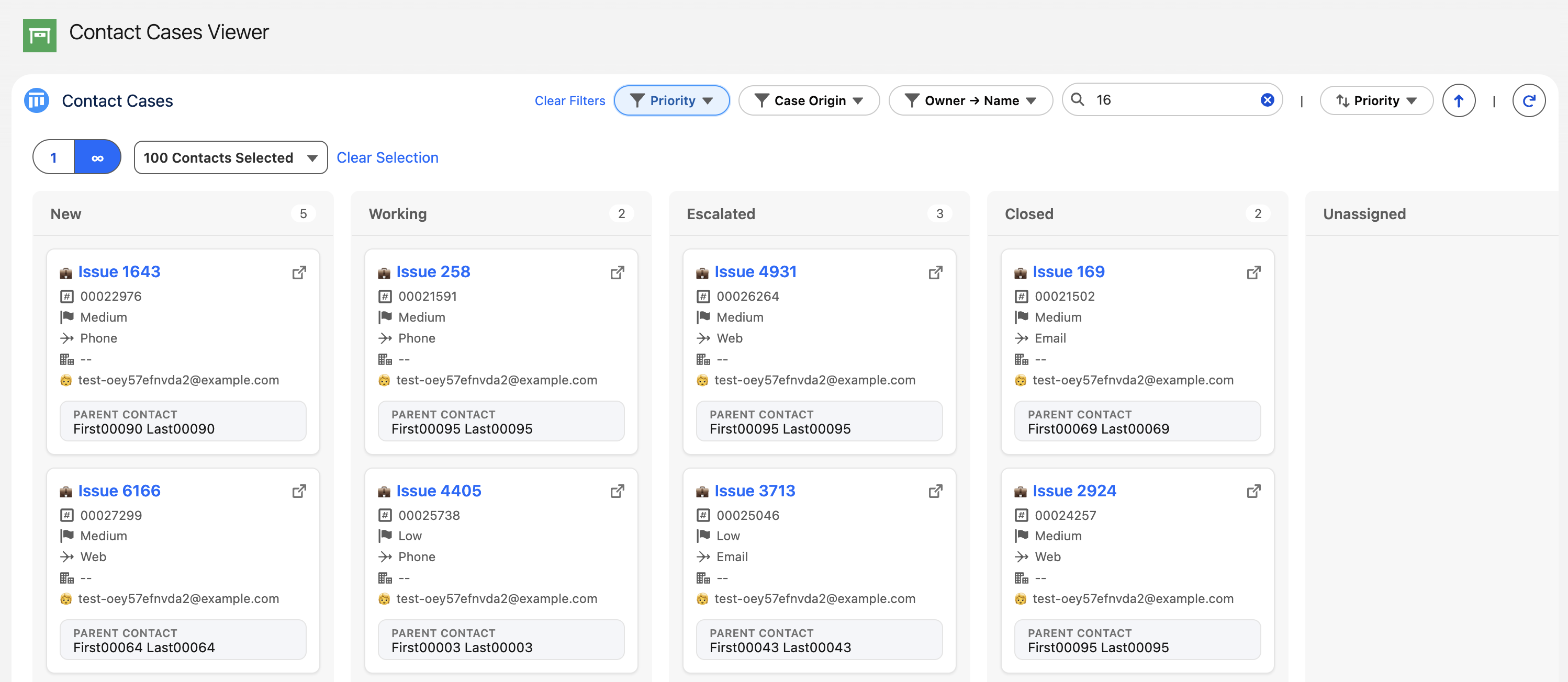
A free Salesforce kanban component for Salesforce. Highly customisable, highly performant, and fun to use. Use it in App, Home, and record pages.
Screenshots
About
Salesforce Kanban Explorer
A free Salesforce kanban component for Salesforce. Highly customisable, highly performant, and fun to use. Use it in App, Home, and record pages.
What is Salesforce Kanban Explorer?


Salesforce Kanban Explorer is a Lightning Web Component that transforms your Salesforce records into interactive kanban boards.
🚀 Key Features
- Dynamic kanban boards - drag-and-drop functionality
- Context-aware - works on record pages, app pages, and home pages
- Multiple data modes - parent mode (single select and multi select), parentless mode, and record page mode
- Flexible customization - configurable fields, filters, search, and sorting
- Column summaries - configure up to 3 column summaries, such as SUMs, AVGs, COUNTs, and more
- Visual goodies - add icons and emojis to cards
Quick Start
- Install the latest package from the releases page
- Assign the
LRES_Accesspermission set to any users that will use the kanban board - Add LRES Kanban Explorer to your Lightning page using the App Builder
- Configure basic properties (card object, grouping field, and card fields)
- Save and activate your page to start using your kanban board!
Documentation Guide
🔧 For Salesforce Admins
- Admin Guide - Complete installation, configuration, and setup instructions
Typical Use Cases
Salesforce Kanban Explorer is adaptable:
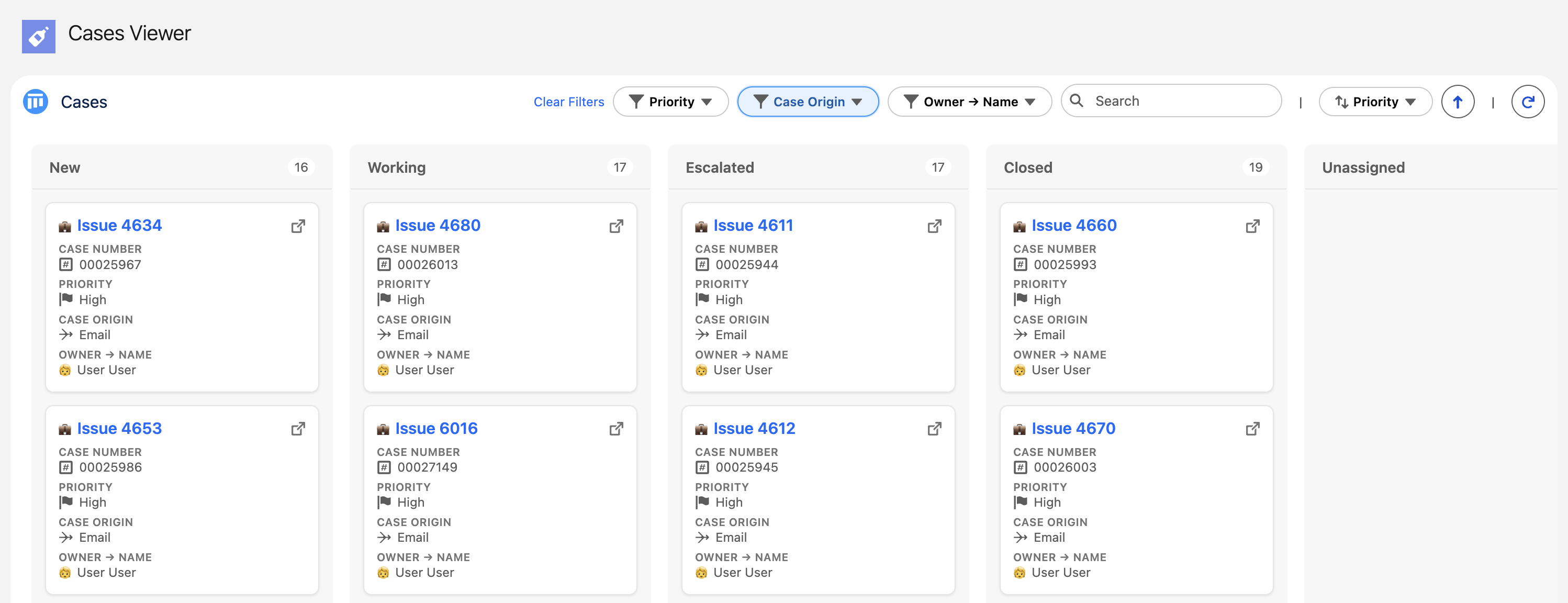
- Service - Case management by status, priority, or team
- Sales - Opportunity pipeline tracking through sales stages
- Project Management - Task tracking by status, assignee, or milestone
- Custom Objects - Any Salesforce object with a picklist/text field for grouping
Key Features Overview
📊 Board Views
- Parent-Child Mode: View related records for a specific parent (e.g., Cases for an Account)
- Parentless Mode: View all records of an object (e.g., all Cases across the org)
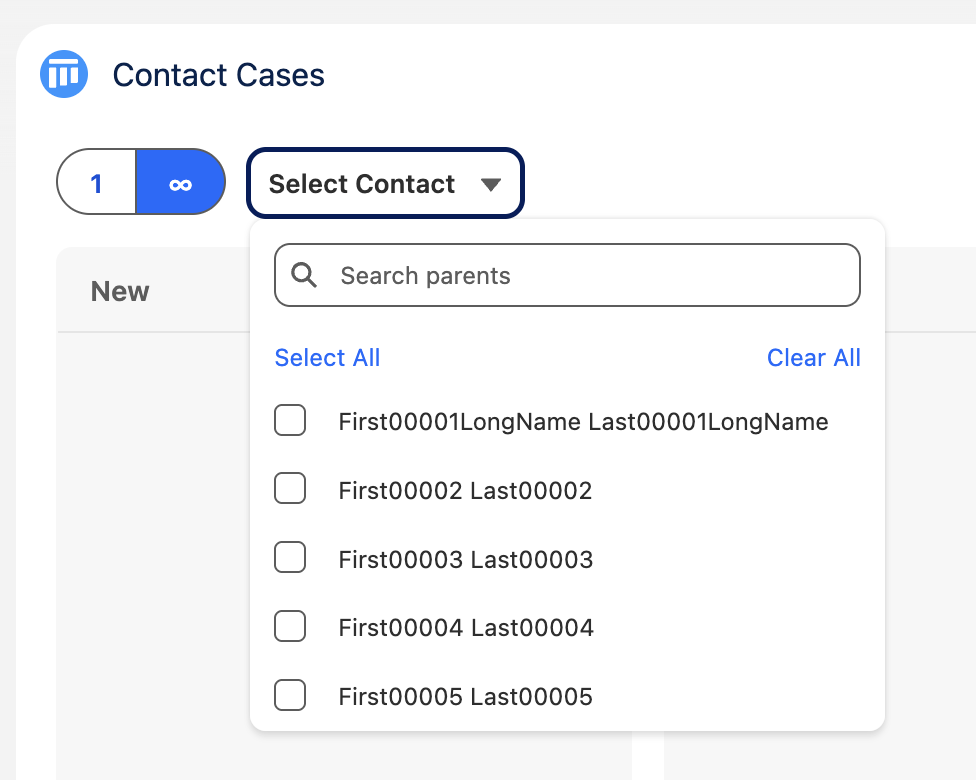
- Multi-Parent Selection: Aggregate records from multiple parents simultaneously
🎛️ Configuration Options
- Custom Grouping: Group by picklist or text fields (Status, Stage, Priority, etc.)
- Card Customization: Choose which fields display on cards and add custom icons/emojis
- Advanced Filtering: Multi-select filters, search functionality, and custom sorting
- SOQL Control: Precise control over which records appear with custom WHERE and ORDER BY clauses
🔄 Interactive Features
- Drag & Drop: Move cards between columns to update record values
- Record Editing: Click cards to open modal windows for quick record viewing and editing
- Parent Selection: Switch between different parent records or select multiple parents to view thier child records
🎨 Visual Customization
- Field Icons: Use SLDS icons or emojis to enhance card readability
- Date Formatting: Custom date/time display formats
- Field Labels: Toggle field labels on/off for cleaner interfaces
- Card Counts: Display record counts per column
- Column summaries: Show up to 3 per-column metrics (SUM, AVG, MIN, MAX, COUNT_TRUE, COUNT_FALSE) for numeric, date, and checkbox fields
🔒 Safe and Secure
- Field Level Security: Component respects field-level security and gracefully drops inaccessible fields
- Record Access: Respects record sharing and visibility
- SOQL Security: All soql queries run with security enforced and optional clauses are sanitised
Getting Help
If you encounter issues, have questions, find a bug, or want to request a feature, please log an Issue.
Installation Requirements
- Salesforce Platform: Compatible with Lightning Experience
- Permissions: Simply assign the
LRES_Accesspermission set to users
Ready to get started? Begin with the Admin Guide for setup instructions.
Reviews (0)
No reviews yet. Be the first to leave one!
Details
- Author
- Ben Merven
- Category
- LWC Component
- Version
- 0.3.1
- Published
- Mar 4, 2026